[27]:
import sys
import os
from os import path
import logging
import time

import numpy as np
import open3d as o3d
from IPython.display import Image
sys.path.insert(0, '../../../')

THIS_DIR = path.dirname(path.realpath(os.getcwd()))
PCD_DIR = path.join(THIS_DIR, '..', '..', 'fixtures', 'pcd')
SRC_DOCS = os.path.realpath(os.path.join(os.getcwd(), '..', '..', '..', 'src_docs', '_static' ))

logging.basicConfig(level=logging.INFO)
logger = logging.getLogger("PPB")
logger.setLevel(logging.INFO)

from examples.python.utility.helper import load_pcd_file, create_mesh_from_organized_point_cloud_with_o3d, laplacian_opc_cuda
from examples.python.utility.o3d_util import plot_meshes
Example Point Cloud
Note that pc is a N X 3 Numpy array, while pc_image is a M X N X 3 organized point cloud
[5]:
mesh_file = path.join(PCD_DIR, 'pc_01.pcd')
pc, pc_image = load_pcd_file(
    mesh_file, stride=2)
pc_xyz = np.ascontiguousarray(pc[:, :3])
pc_xyz
[5]:
array([[ 1.37309742, -0.96145308, -0.96777892],
       [ 1.4282397 , -0.98969793, -1.0032233 ],
       [ 1.43046403, -0.98092669, -1.00140643],
       ...,
       [ 3.00140142,  2.0366888 ,  2.08402252],
       [ 3.00092793,  2.05785728,  2.09065151],
       [ 3.00051689,  2.07920647,  2.09741902]])
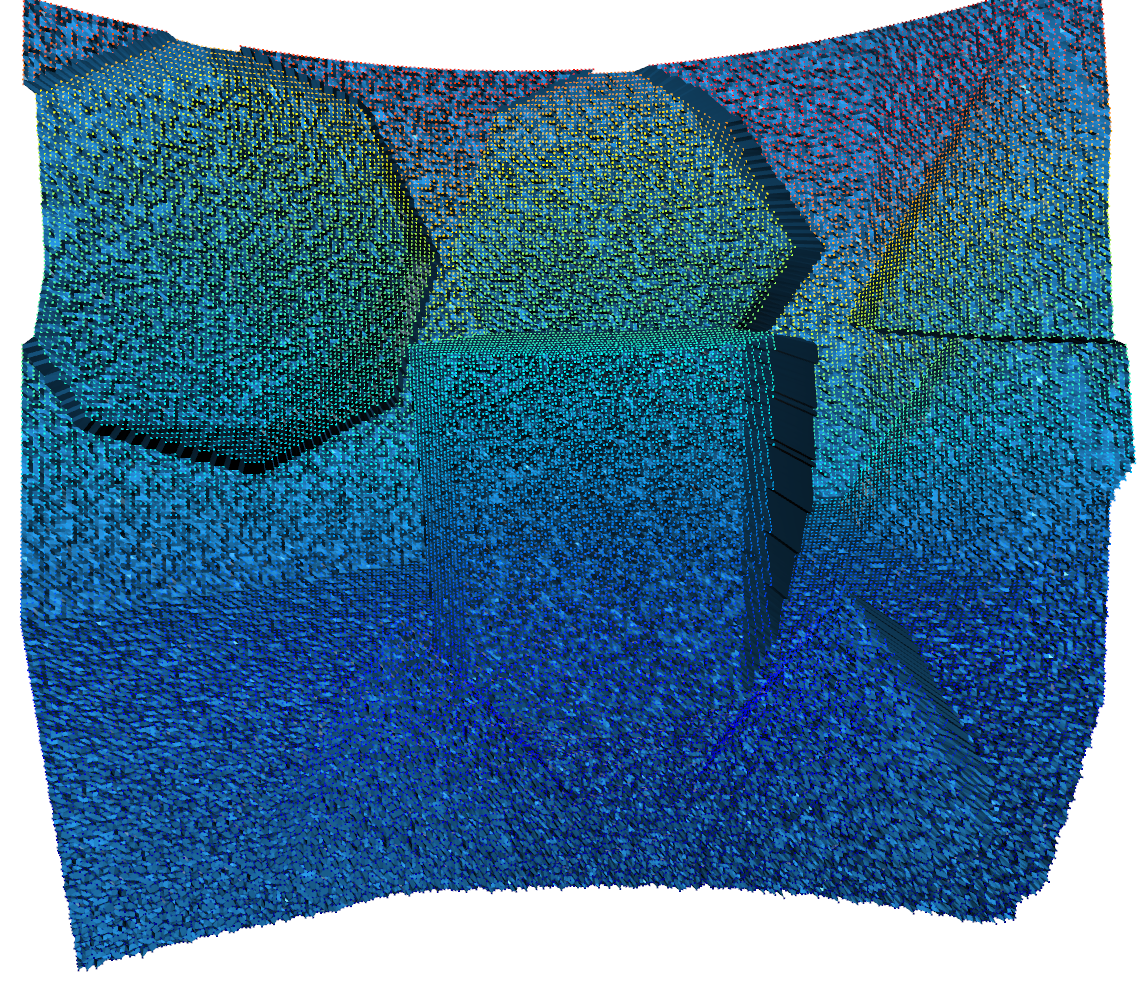
Visualize Point Cloud and Mesh
[10]:
pcd = o3d.geometry.PointCloud(o3d.utility.Vector3dVector(pc_xyz))
_, tri_mesh_noisy_o3d = create_mesh_from_organized_point_cloud_with_o3d(np.ascontiguousarray(pc_xyz[:, :3]))
plot_meshes([pcd, tri_mesh_noisy_o3d])
[15]:
Image(f"{SRC_DOCS}/tutorial/noisy_mesh_pcd.png")
[15]:
Laplacian Smoothing
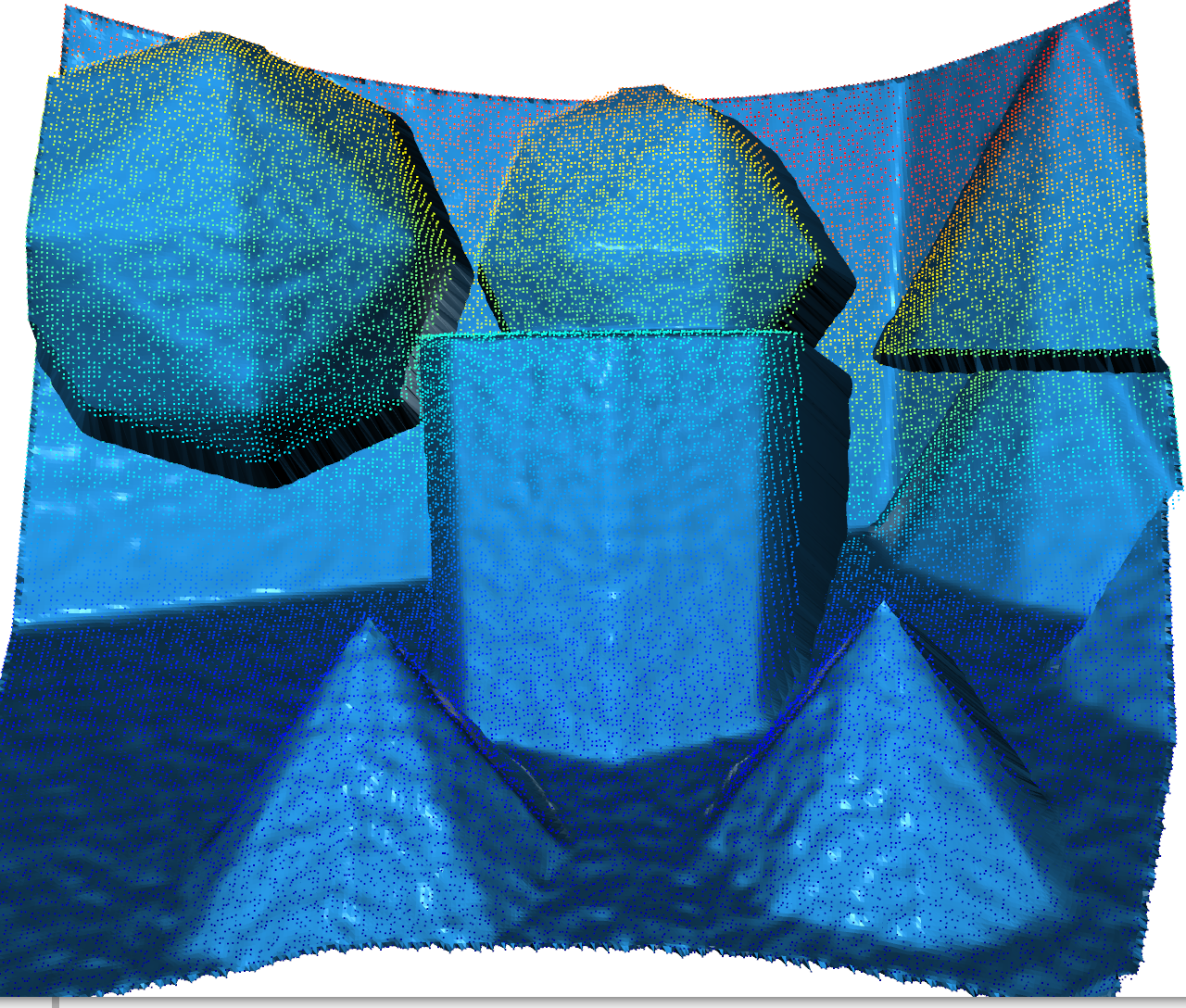
First we import the organized point filter module opf and our type conversion class from numpy Matrix3fRef. Then we created a simple helper function called laplacian_opc.
The function first converts from F64 to F32 floating point type (thats all that is handled currently). Next it wraps the F32 numpy array using Matrix3fRef (no copy) such that our C++ Module can understand it. Then it calls opf.filter.laplacian_K3 or K5 depending on the kernel size. Afterward it converts back to F64.
Note that if your data is already in F32 you don’t need any of these conversions.
[25]:
import organizedpointfilters as opf
from organizedpointfilters import Matrix3fRef

def laplacian_opc(opc, loops=5, _lambda=0.5, kernel_size=3, **kwargs):
    """Performs Laplacian Smoothing on an organized point cloud

    Arguments:
        opc {ndarray} -- Organized Point Cloud MXNX3, Assumed F64

    Keyword Arguments:
        loops {int} -- How many iterations of smoothing (default: {5})
        _lambda {float} -- Weight factor for update (default: {0.5})
        kernel_size {int} -- Kernel Size (How many neighbors to intregrate) (default: {3})

    Returns:
        ndarray -- Smoothed Point Cloud, MXNX3, F64
    """
    opc_float = (np.ascontiguousarray(opc[:, :, :3])).astype(np.float32)

    a_ref = Matrix3fRef(opc_float)

    t1 = time.perf_counter()
    if kernel_size == 3:
        b_cp = opf.filter.laplacian_K3(a_ref, _lambda=_lambda, iterations=loops, **kwargs)
    else:
        b_cp = opf.filter.laplacian_K5(a_ref, _lambda=_lambda, iterations=loops, **kwargs)
    t2 = time.perf_counter()
    logger.info("OPC Mesh Smoothing Took (ms): %.2f", (t2 - t1) * 1000)

    opc_float_out = np.asarray(b_cp)
    opc_out = opc_float_out.astype(np.float64)

    return opc_out
[20]:
kwargs = dict(loops=5, _lambda=1.0, kernel_size=3)
opc_smooth = laplacian_opc(pc_image, **kwargs, max_dist=0.25)
_, tri_mesh_opc_o3d = create_mesh_from_organized_point_cloud_with_o3d(opc_smooth)
o3d.visualization.draw_geometries([tri_mesh_opc_o3d, pcd])
INFO:PPB:OPC Mesh Smoothing Took (ms): 10.68
[21]:
Image(f"{SRC_DOCS}/tutorial/laplacian_mesh_pcd.png")
[21]:
Bilateral Smoothing
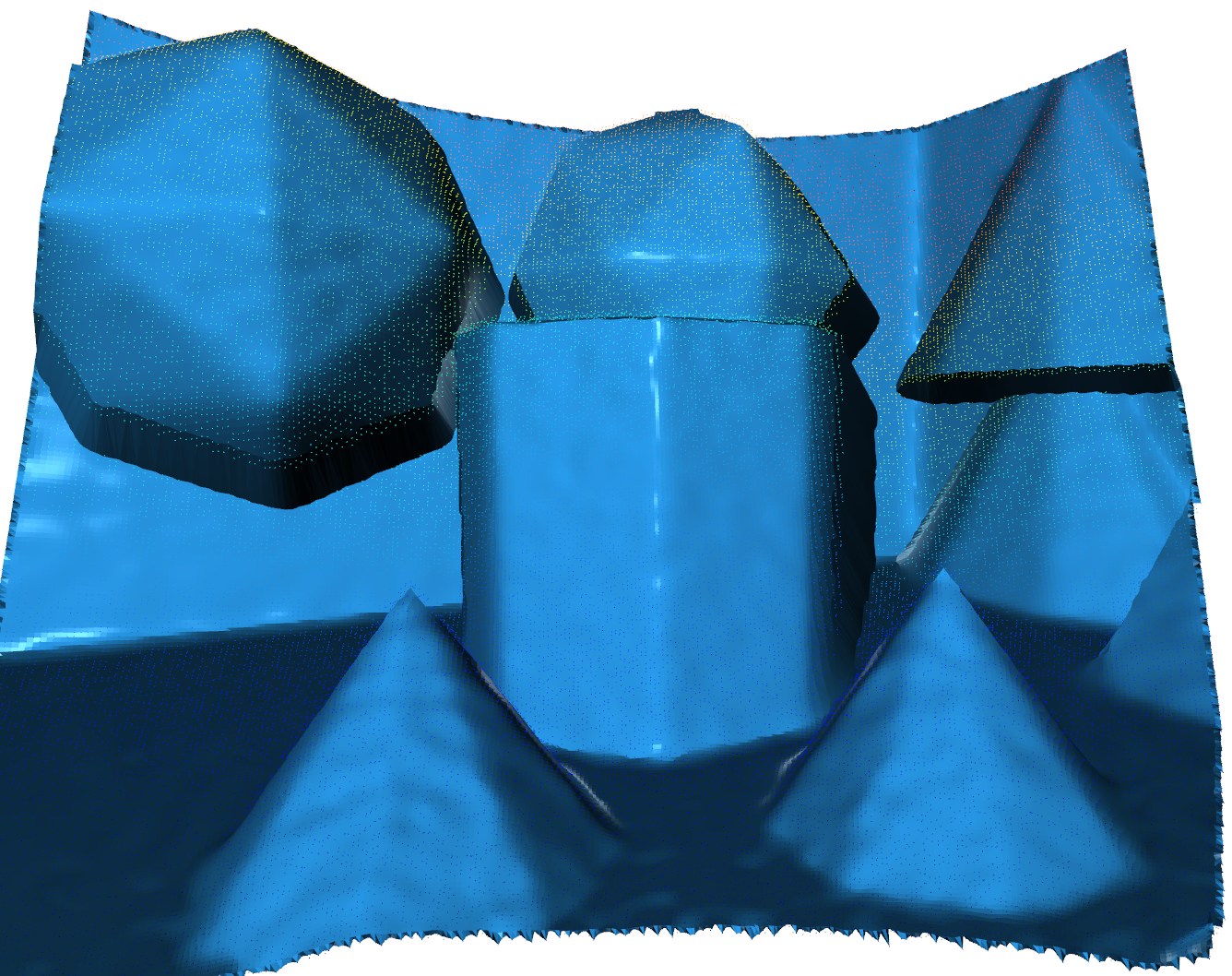
Bilateral smoothing works on triangle normals of the mesh. Vertex updating is not implemented. The mesh needs to already be sufficiently smooth. For example we will be applying bilateral smoothing after Laplacian smoothing.
Here is a helper function that performs conversions as before. Note that the return type is an (M-1) X (N-1) X 2 X 3 numpy array. Basically every 2 X 2 quad in the OPC creates two implicit triangles:
* O = Point
*
*                  O----------------------O
*                  |                    XX|
*                  |  TRI 0          XXX  |
*                  |              XXXX    |
*                  |            XXX       |
*                  |         XXX          |
*                  |       XXX            |
*                  |     XXX       TRI 1  |
*                  |   XXX                |
*                  |XXX                   |
*                  O----------------------O
Therefore we return the (M-1) X (N-1) * 2 triangle normals in mesh
[23]:
def bilateral_opc(opc, loops=5, sigma_length=0.1, sigma_angle=0.261, **kwargs):
    """Performs bilateral normal smoothing on a mesh implicit from an organized point

    Arguments:
        opc {ndarray} -- Organized Point Cloud MXNX3, Assumed Float 64

    Keyword Arguments:
        loops {int} -- How many iterations of smoothing (default: {5})
        sigma_length {float} -- Saling factor for length (default: {0.1})
        sigma_angle {float} -- Scaling factor for angle (default: {0.261})

    Returns:
        ndarray -- MXNX2X3 Triangle Normal Array, Float 64
    """
    opc_float = (np.ascontiguousarray(opc[:, :, :3])).astype(np.float32)

    a_ref = Matrix3fRef(opc_float)

    t1 = time.perf_counter()
    normals = opf.filter.bilateral_K3(a_ref, iterations=loops, sigma_length=sigma_length, sigma_angle=sigma_angle)
    t2 = time.perf_counter()
    logger.info("OPC Bilateral Filter Took (ms): %.2f", (t2 - t1) * 1000)
    normals_float_out = np.asarray(normals)
    normals_out = normals_float_out.astype(np.float64)

    return normals_out
[28]:
# Bilateral Filter on NORMALS [CPU](using the already smoothed VERTICES)
kwargs_bilateral = dict(loops=5, sigma_length=0.1, sigma_angle=0.261)
opc_normals_smooth = bilateral_opc(opc_smooth, **kwargs_bilateral)
# opc_normals_smooth must be reshaped from an "image" to a flat NX3 array for Open3D
total_triangles = int(opc_normals_smooth.size / 3)
opc_normals_smooth = opc_normals_smooth.reshape((total_triangles, 3))
# Create new Open3D mesh with these triangle normals
tri_mesh_smoothed_normal_o3d = o3d.geometry.TriangleMesh(tri_mesh_opc_o3d)
tri_mesh_smoothed_normal_o3d.triangle_normals = o3d.utility.Vector3dVector(opc_normals_smooth)
# visualize
o3d.visualization.draw_geometries([tri_mesh_smoothed_normal_o3d, pcd])
INFO:PPB:OPC Bilateral Filter Took (ms): 26.97
[30]:
Image(f"{SRC_DOCS}/tutorial/bilateral_mesh_pcd.png")
[30]:
GPU Acceleration
GPU Accelerated implementation of these filters are created as well. They currently only work on CUDA and have been tested on a NVIDIA 2070 Super. These filters are in the module opf.cuda.kernel and rely upon cupy. To see some of these in action please see the examples/python folder.